A tablet on a keyboard stand in a dark blue room, open on the Planet X vendor portal: Structural Frames — Plant B, milestones 2 of 4 and the June milestone calendar

CASE STUDY · PLANET X

Controlled access, clear workflows..

Product design for a secure B2B procurement platform — Admin, Vendor and Client portals.

See how we built it

01 · THE PLATFORM

The procurement desk behind the factory floor.

Planet X runs industrial projects for factories. A client sends a requirement — a cooling tower, a conveyor retrofit, a new roof — and the Planet X team turns it into a standard BOQ, tenders it to verified vendors, ranks the bids and oversees the work until it’s signed off.

FIG 01 — Planet X dashboard, vendor view

02 · THREE ROLES

One project. Three very different people.

We split the platform into three portals. Each one shows only what that person needs to act on next — nothing more.

01

ADMIN

Runs the project.

  • Uploads BOQs and drawings, version by version
  • Invites vendors and compares quotations
  • Tracks milestones and closes the project
The admin dashboard: Good morning, Rahul — active projects, projects awaiting the client, the next deadline and the Needs your action queue

02

VENDOR

Wins and delivers the work.

  • Onboards once through KYC
  • Studies drawings inside the secure viewer
  • Submits quotations and uploads proof of work
The vendor dashboard: Good morning, Acme Industrial — what needs action, active projects, the average rating and the July milestone calendar

03

CLIENT

Makes three decisions.

  • Approves the BOQ
  • Chooses the vendor
  • Signs off each milestone — only when it’s their turn
The client dashboard: Good morning, Meera — two things that need a decision, and the client’s projects with their stage

03 · LIFECYCLE

From request to closure

Every project passes the same five gates — BOQ approved, bidding closed, vendor awarded, milestones signed off, project closed. Each gate has one owner and one next action, so nobody has to ask whose turn it is.

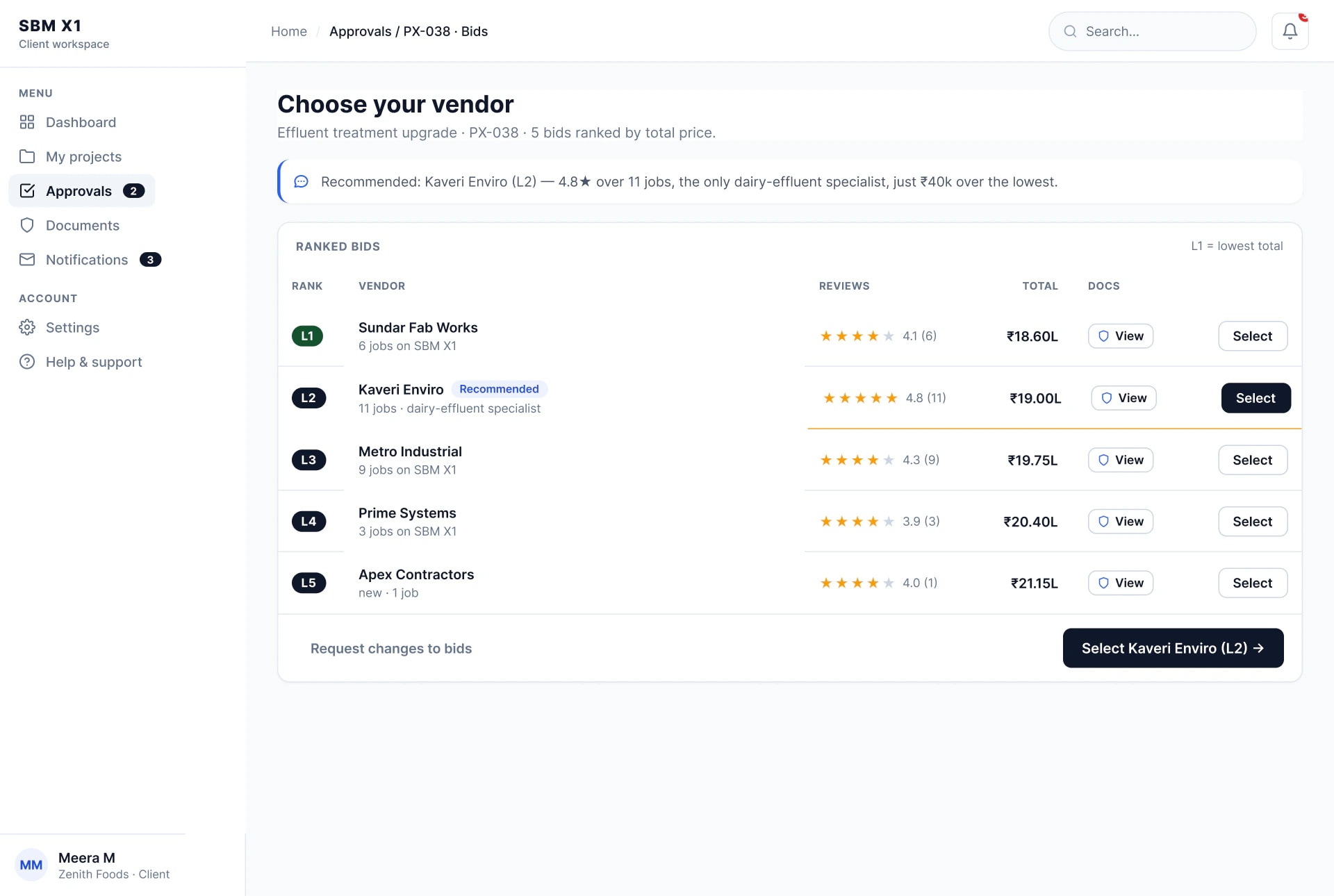
The admin’s verified vendor list, and over it the client’s Choose your vendor screen with five bids ranked by total price
  1. BOQ approved
  2. Bidding closed
  3. Vendor awarded

FIG 03 — Verified vendors, then the ranked bid list

The admin’s verified vendor list, and over it the client’s Choose your vendor screen with five bids ranked by total price
  1. BOQ approved
  2. Bidding closed
  3. Vendor awarded

04 · BOQ & BIDS

Versioned, then ranked

BOQ changes are versioned and kept for audit. Bids arrive ranked by total price with one recommendation and the reason in plain words — here, Kaveri Enviro at L2: the only dairy-effluent specialist, ₹40k over the lowest.

Two tiles: the project stepper and the BOQ revision history on a dark grid, and three ranked bids on green with Kaveri Enviro at L2 recommended

FIG 04 — Revision history and the recommended bid

Two tiles: the project stepper and the BOQ revision history on a dark grid, and three ranked bids on green with Kaveri Enviro at L2 recommended

05 · SECURE VIEWER

Drawings stay in the room

Drawings open in a controlled room, not a PDF reader. Download and print are switched off, every page is watermarked to the vendor it was issued to, and access expires when the tender closes.
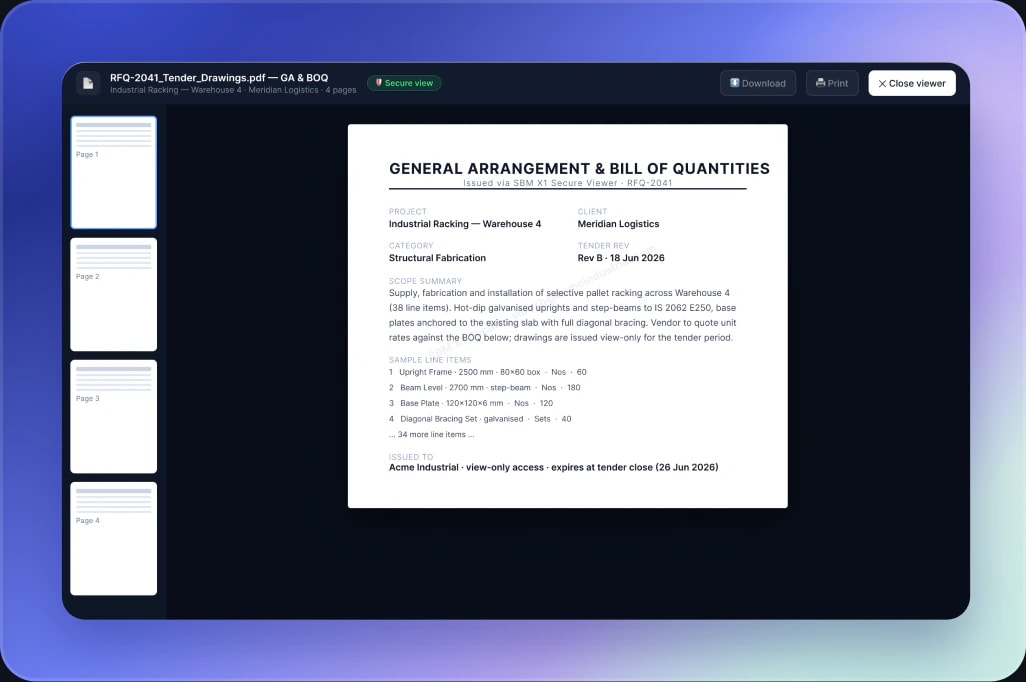
The secure drawing viewer: a general arrangement and bill of quantities page issued to Acme Industrial, with download and print switched off

FIG 05 — Watermarked, view-only drawing room

The secure drawing viewer: a general arrangement and bill of quantities page issued to Acme Industrial, with download and print switched off

06 · DESIGN SYSTEM

Colour means status. Nothing else.

A quiet, data-first interface: light surfaces, one dark button per screen for the next step, and colour kept for status alone — blue while work sits with the team, amber while it waits on the client, green once it’s awarded.

A bento of interface parts: at-a-glance cards in green, amber and blue, the action queue, the revision history, the ranked bids, the navigation rail and the status tags

FIG 06 — Colour reserved for status

07 · COMPONENTS

Parts that do one job

We built the dashboards from a small set of parts, each answering one question — where am I, what needs me, how are we doing. Same parts, same place in every portal, so anyone who learns one role can read the others.
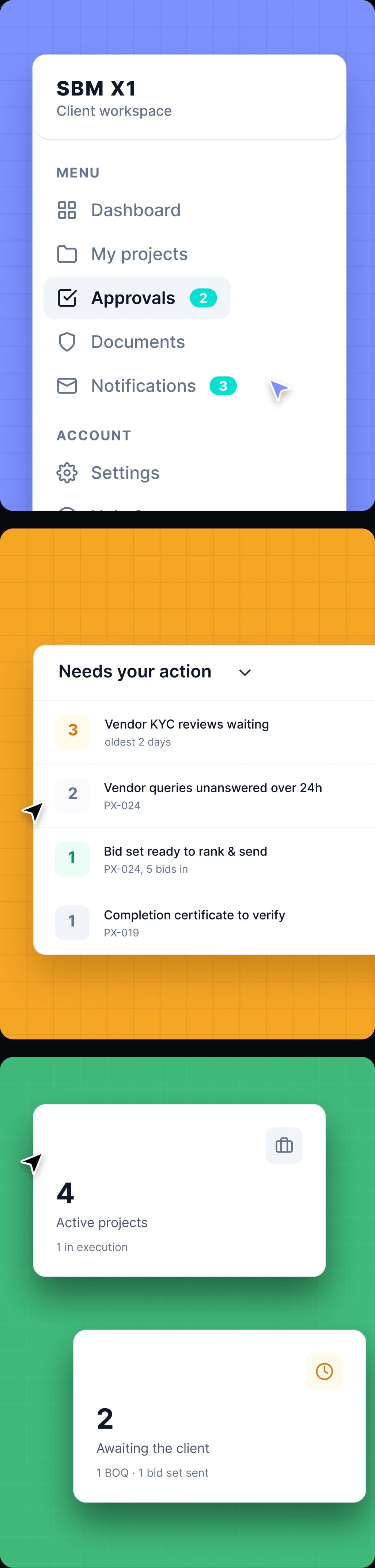
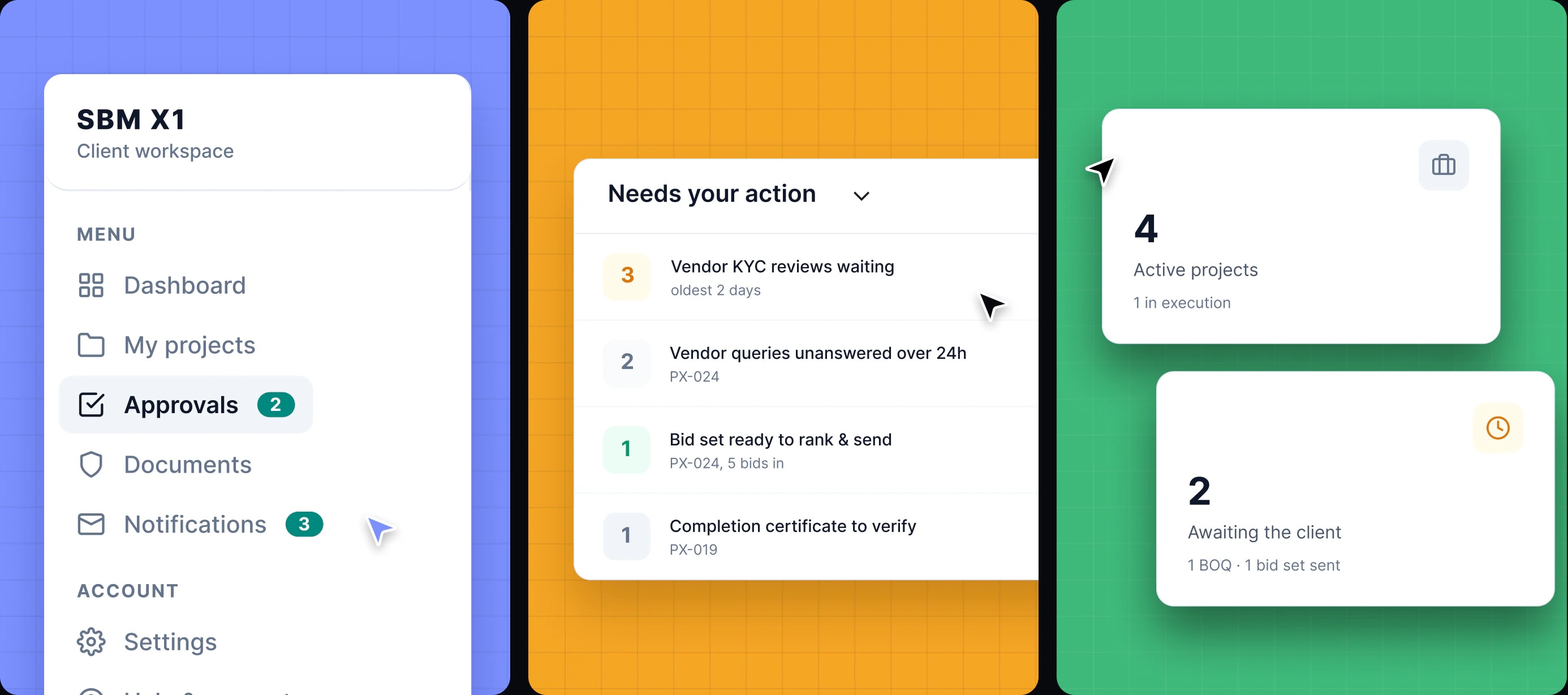
Three tiles: the client navigation rail on blue, the Needs your action queue on amber, and two at-a-glance cards on green

FIG 07 — Navigation, action queue, at a glance

08 · CLIENT PORTAL

Built for the occasional client

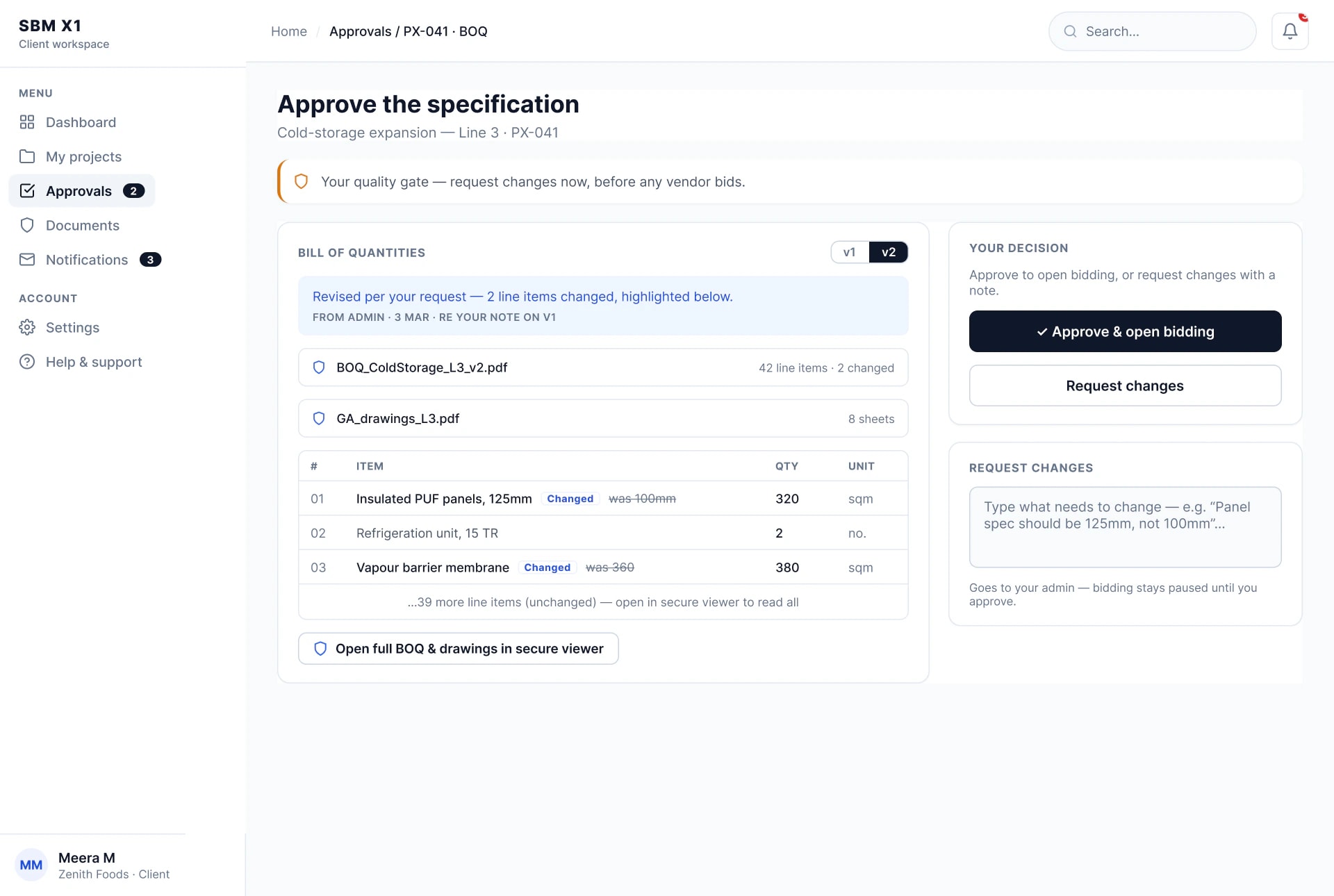
The client is a factory manager, not a procurement specialist. They arrive from a notification — “BOQ v2 is ready for your approval” — make one decision, and go back to the floor.

A “BOQ v2 is ready for your approval” notification above the Approve the specification screen, and beside it the Choose your vendor screen

5 bids ranked — choose your vendor

A “BOQ v2 is ready for your approval” notification above the Approve the specification screen, and beside it the Choose your vendor screen

5 bids ranked — choose your vendor

FIG 08 — Every visit starts from a notification

09 · CLIENT SCREENS

Every screen asks one thing

Every client screen leads with a single decision — approve, choose, sign off, review — with the evidence right beside it and the action in one button. No training, no hunting through tabs.

  • Client dashboard: two things need your decision
  • Choose your vendor: five bids ranked by total price
  • Approve the specification: the bill of quantities and the client’s decision
  • Notifications: BOQ ready for approval, ranked bids ready, milestone proof uploaded
  • Milestone M2 — equipment installation, ready for the client’s sign-off
  • Effluent treatment upgrade, closed: every gate passed and the documents on record

10 · ADMIN PORTAL

The admin starts with the queue

The admin dashboard opens on what’s waiting — vendor KYC reviews, unanswered queries, bids ready to rank, certificates to verify — oldest first. One button works the queue top to bottom; every project stays one click away.
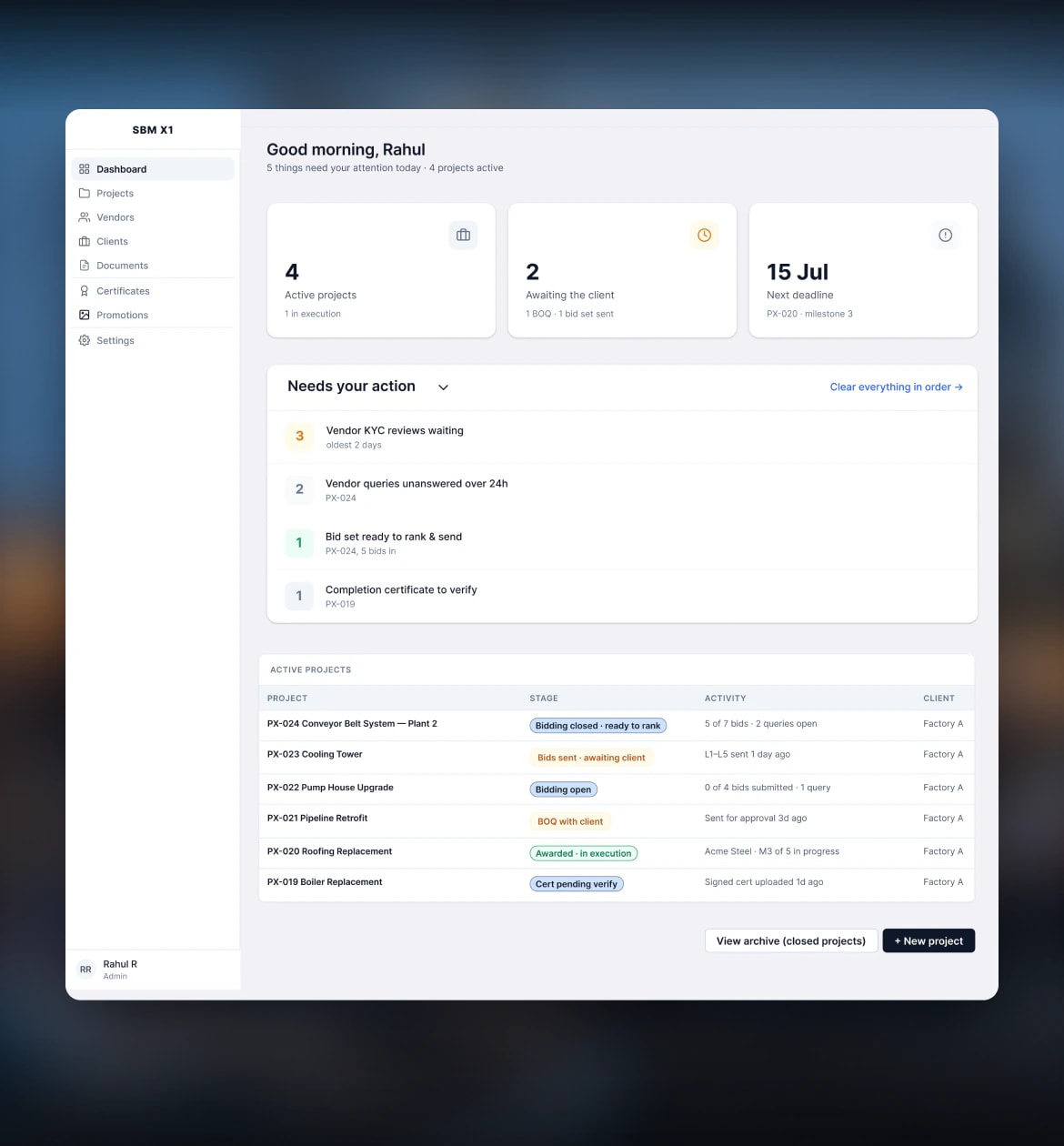
The admin dashboard over a blurred photo of site works: Needs your action — vendor KYC reviews, unanswered queries, a bid set to rank and a certificate to verify

FIG 10 — The attention queue, oldest first
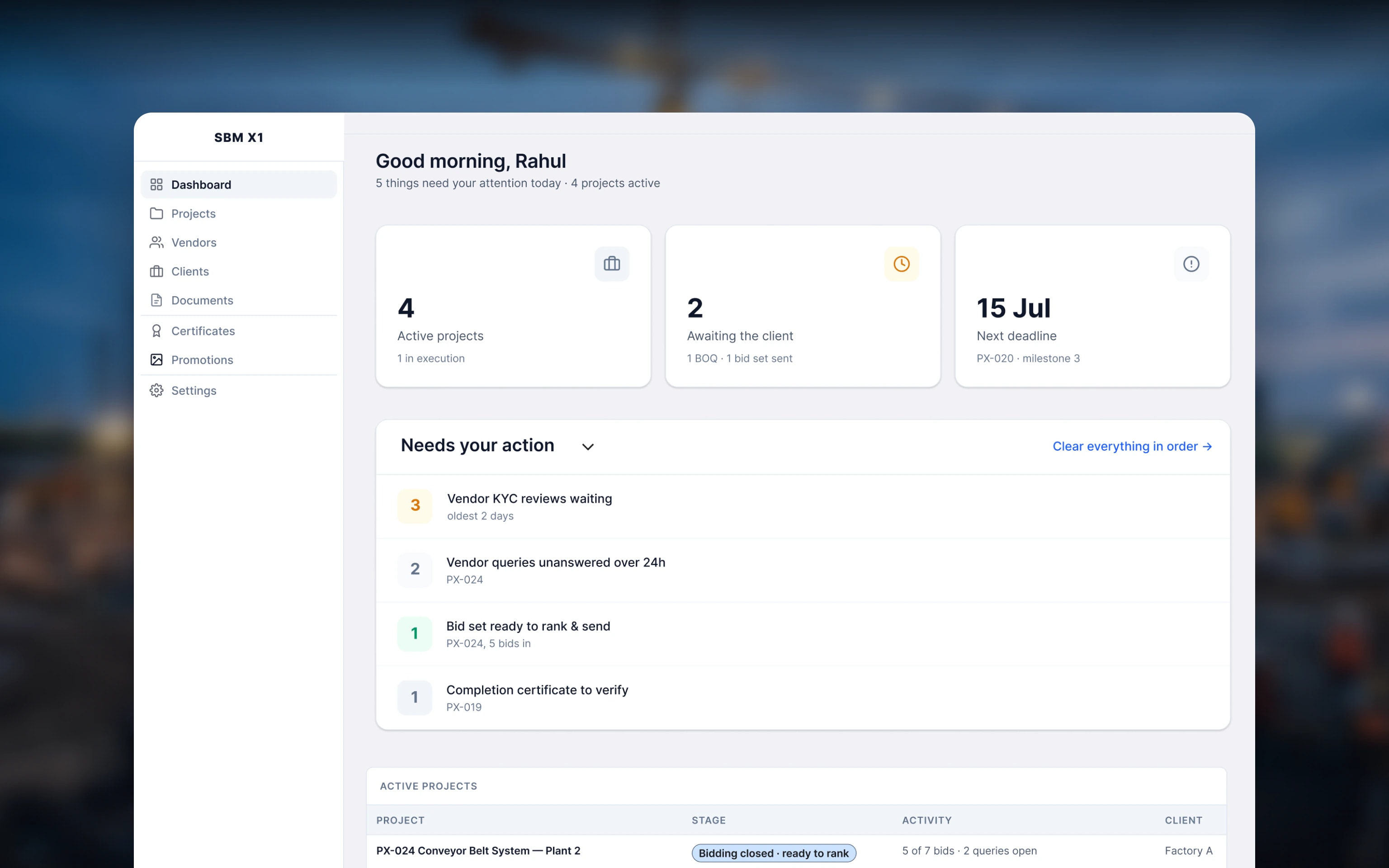
The admin dashboard over a blurred photo of site works: Needs your action — vendor KYC reviews, unanswered queries, a bid set to rank and a certificate to verify

11 · VENDOR PORTAL

A portal vendors actually use

Vendors run their week from one screen: what’s due, which invitations close soon, the milestone calendar, and the reviews that win them the next job — each part readable between site visits.
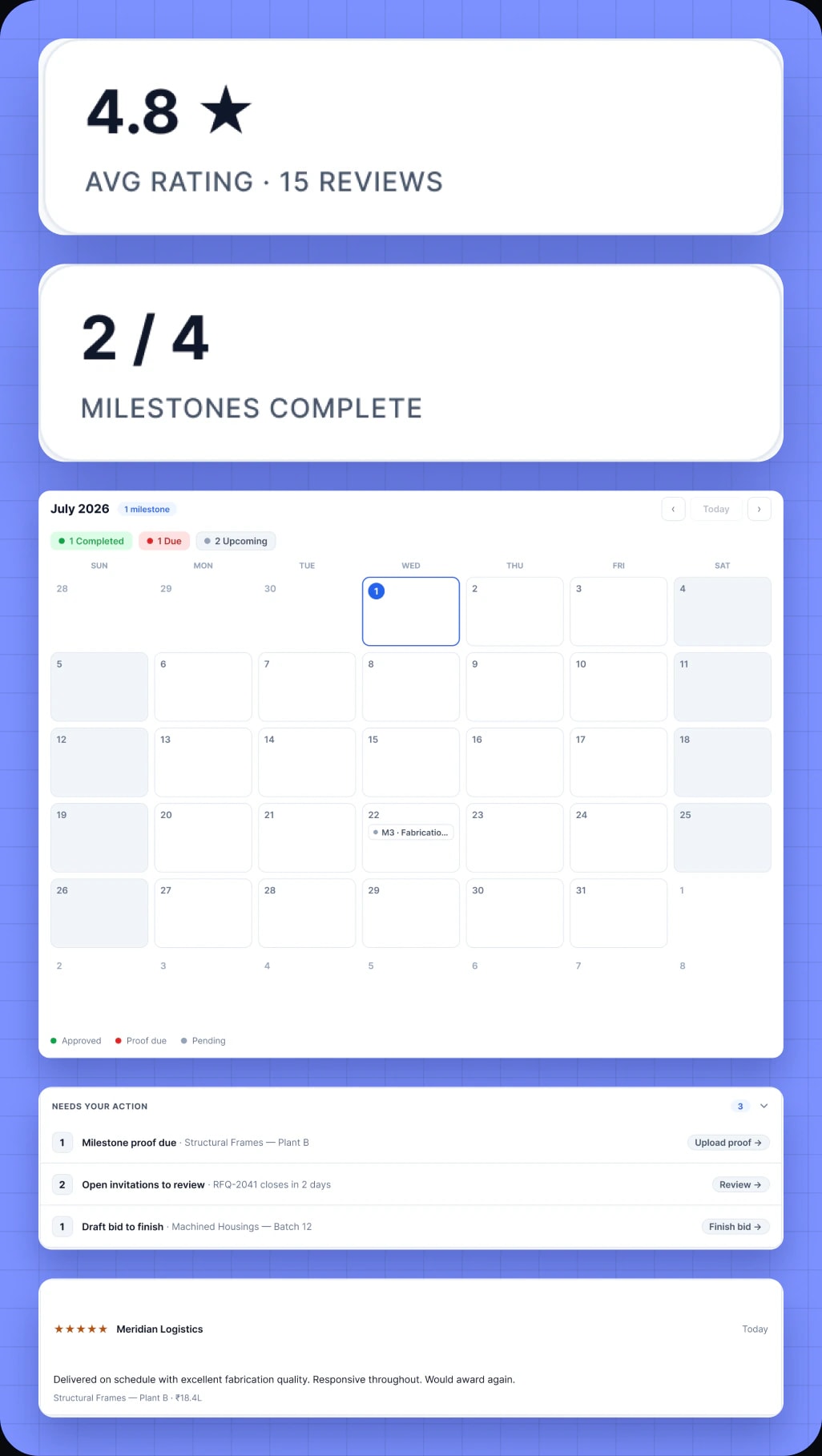
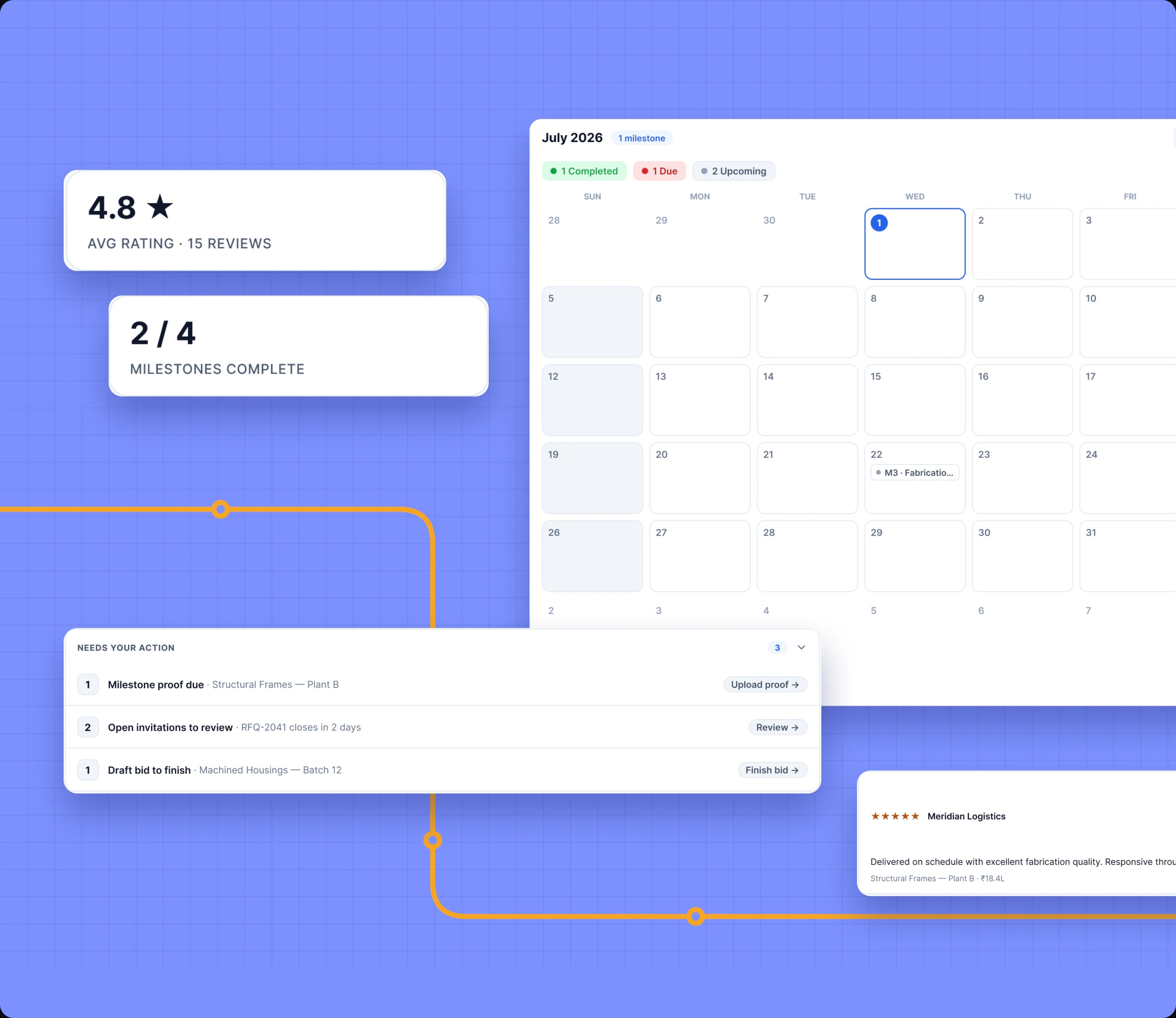
Parts of the vendor portal on blue: a 4.8 average rating, milestones 2 of 4, the July milestone calendar, the action queue and a client review

FIG 11 — Rating, milestones, calendar, reviews

12 · CLOSURE

Nothing closes on one signature

Closing takes two signed documents: the completion certificate, signed on site and uploaded by the vendor, and the snag list, uploaded by the client or the admin. Only when both are in and verified does the project close — and lock.

Hands holding a tablet open on Close the project: the signed completion certificate uploaded, the snag list still to come

FIG 12 — Two signatures before a project locks

Hands holding a tablet open on Close the project: the signed completion certificate uploaded, the snag list still to come

Tell us what you are trying to build.We reply within one working day.

Have a project in mind? Let’s start with a conversation.

We’ll set up a call to understand what you need and what you have already tried. If it’s a fit, you get a written proposal scope, timeline and cost before anyone commits to anything.

Would rather just talk? Book a call directly

Not interested in the form? Book a call directly